Every Body's Pace

A museum that moves at your pace.

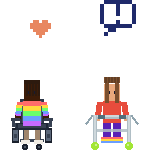
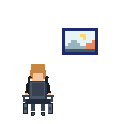
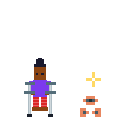
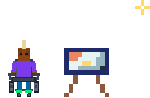
Every Body’s Pace is an online museum game where players explore rooms on disability rights, queer policy, crip queer art and alt text poetry, as avatars built with the mobility tools they identify with. Every step costs spoons, the units of energy in spoon theory, so rest becomes part of the play and access becomes something you feel, not just read about. Made for DAG Kolkata’s A Weekend in Museums 2026, it works on desktop and mobile in English and Bengali, for anyone curious about disability and queerness, whether they live it or are learning about it.

Play Every Body's Pace (opens in a new tab)
Client
DAG (Delhi Art Gallery), Kolkata
Concept, content and translations
DAG Team
Illustrations and project collaboration
Sunando Chakraborty, Lore Studios
Game design, systems, avatars, 3D world and build
Nilay Gomkale
Platform
Web browser, desktop and mobile
Tools
Blender, Three.js, Figma, Claude Code

How to Play?

Controls & Features to play on a computer or a phone

On a computer

Use WASD or the arrow keys to move, or click where you want to go.

  • Shift: Hold to run
  • Space: Jump
  • E: Inspect an artefact
  • Esc: Close a window

On a phone

  • Drag the joystick to move
  • A button: Jump, or inspect when next to an artefact
  • B button: Hold to run
  • Tap the back button or ✕ to close a window

Jump and run switch off when a mobility tool is chosen.

Your spoons

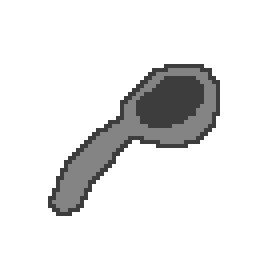
Spoon Theory, coined by Christine Miserandino, pictures the energy of a person with chronic illness or disability as a daily supply of spoons that every task uses up.

The game makes this its health system, so moving through the museum has a cost the player feels:

  • You start with 10 spoons.
  • Half a spoon drains every 15 seconds.
  • Each bump costs a spoon.
  • A fidget spinner, a tool many disabled and neurodivergent people already use, gives back three.

Run out, and Museum Fatigue sets in: a short rest, then back to exploring.

When the spoons run out, the player is not told they failed.
They are told they ran out of spoons.

Make your character

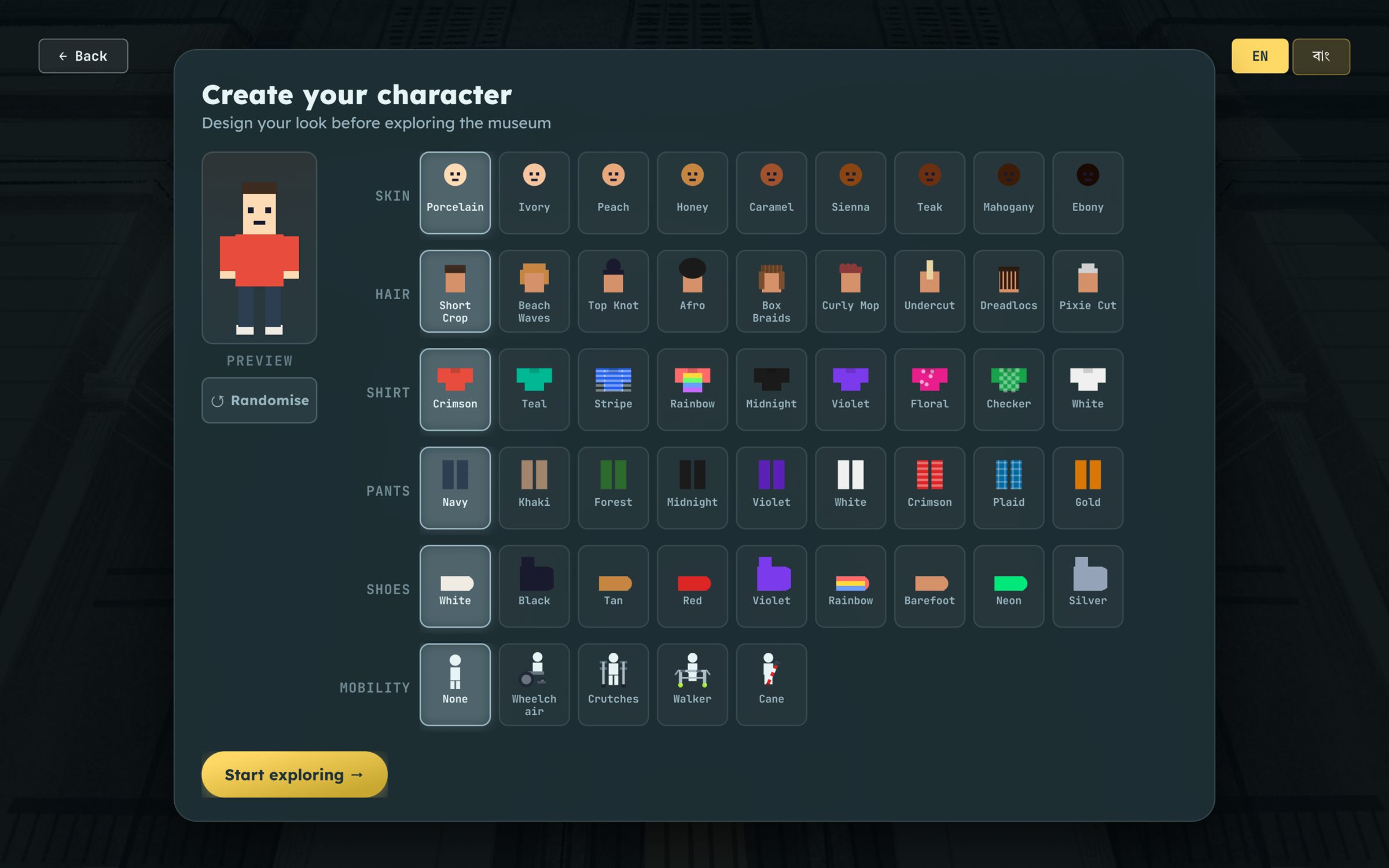
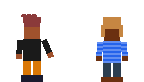
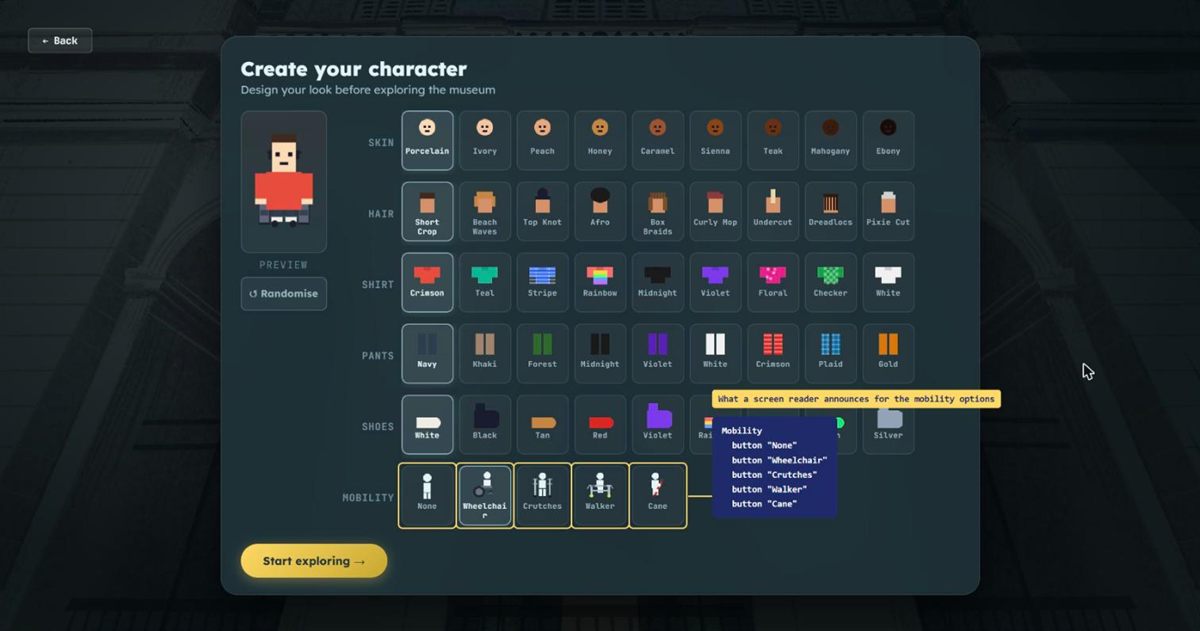
Build a character from nine options each for skin, hair, shirt, pants and shoes, with a live preview as you go, or press Randomise to roll a new one. Add a wheelchair, crutches, a walker or a cane, each animated to move with the character. No gender is ever asked for.

The avatar creator: a live preview of the character on the left, and rows of nine options each for skin, hair, shirt, pants and shoes, with five mobility options and a Randomise button.

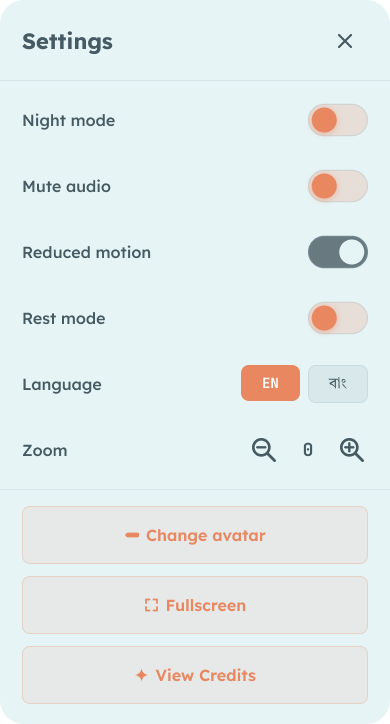
Settings

  • Night Mode. A darker, high contrast look for the world and menus.
  • Mute Audio. Silences all game sounds.
  • Reduced Motion. Stills idle animations and shortens the fatigue sequence.
  • Rest Mode. Pauses the spoon drain, so you can explore with no clock.
  • Language. Switches between English and Bengali at any time.
  • Zoom. Brings the world closer, or pulls back for an overview.
  • Change Avatar. Heads back to the creator to remake your character.
  • Fullscreen. Fills the screen for a more immersive walk.
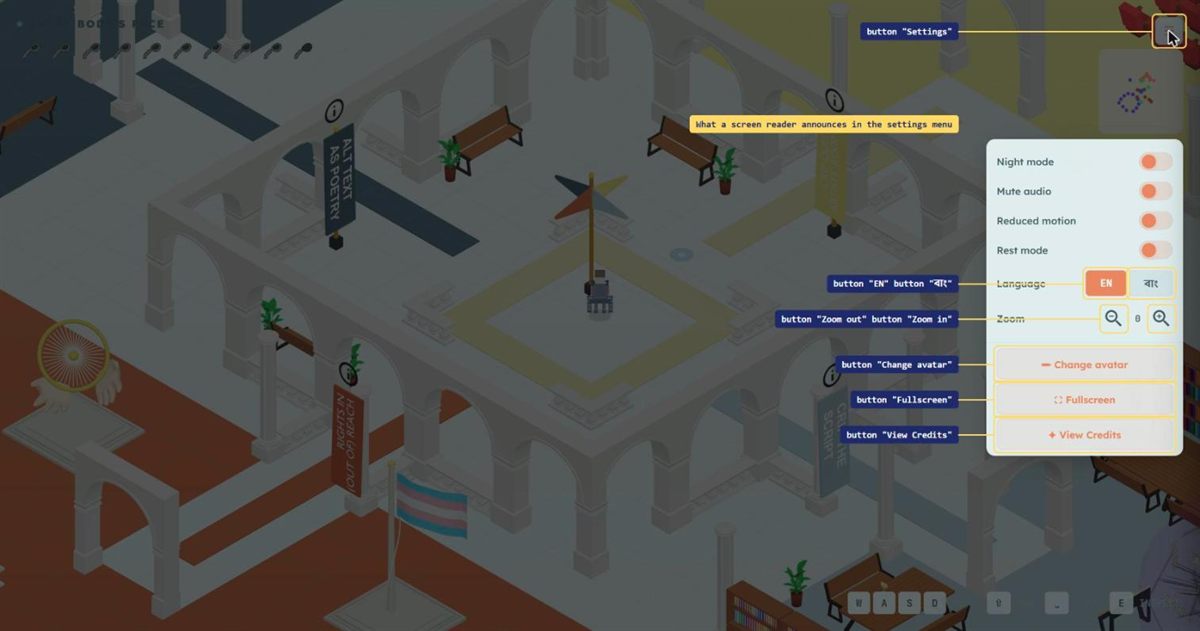
The in-game settings menu: toggles for night mode, mute audio, reduced motion and rest mode, an English and Bengali language switch, zoom controls, and buttons to change avatar, go fullscreen and view credits.

On the minimap, purple marks documents, coral marks art and artists, green marks fidget spinners and blue is you.

Next roomBehind the game 

Behind the game

How DAG's brief became a playable museum: the research, the world, the characters, the mechanics and the build.

Aim

To translate the architecture of a physical museum into a playable web space, where disability, queerness and the politics of access are encountered through the visitor's own body, pace and energy, rather than read off a wall label.

Project Outline

  • Building a playable digital landscape inspired by the arches of Indian Museum, Kolkata, for DAG's Weekend in Museums programme.
  • Translating a curatorial brief into game systems, so concepts like Spoon Theory and rest are felt as mechanics before they are read as text.
  • Delivering a bilingual (English and Bengali) experience that runs in a mobile browser with no install and no build step.
  • Setting up a Blender to Three.js pipeline so the 3D world could be revised without rewriting game code.

Project timeline: April - May 2026

Methodologies Implemented

The brief was broken into requirements first, then researched visually and spatially before any system was built.

  • Brief analysis

    Requirement mapping, scope definition, content mapping per room.

  • Visual research

    Moodboarding, isometric and pixel game references, typography research.

  • Spatial research

    Indian Museum architecture study, gallery floor plans and circulation references, threshold sketches.

  • World building

    Blender modelling, scale planning, stylization, productions optimizations, rendering

  • Character design

    Animation and movement design, Sprite sheet development, avatar customization, mobility tool animation.

  • Systems design

    Energy and health systems, embedded policy documentation, interaction and overlay patterns.

  • Prototyping and iteration

    AI-assisted prototyping and development with Claude Code, phase-based builds, performance profiling, cross-device testing.

Next roomVisual Direction & Moodboarding 

Visual Direction & Moodboarding

Developed together with Sunando, and set by isometric illustrated worlds that read like maps the visitor can walk into.

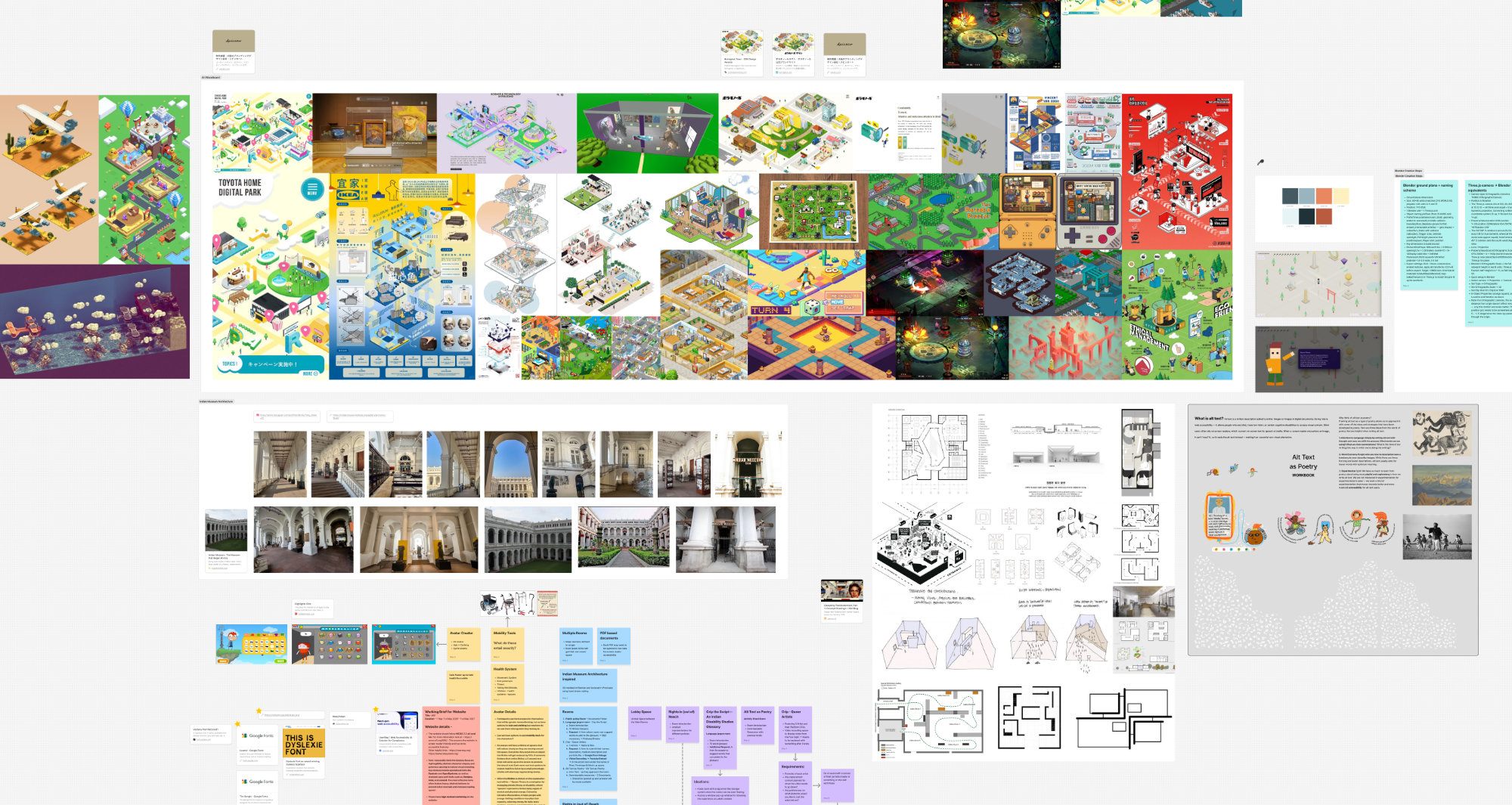
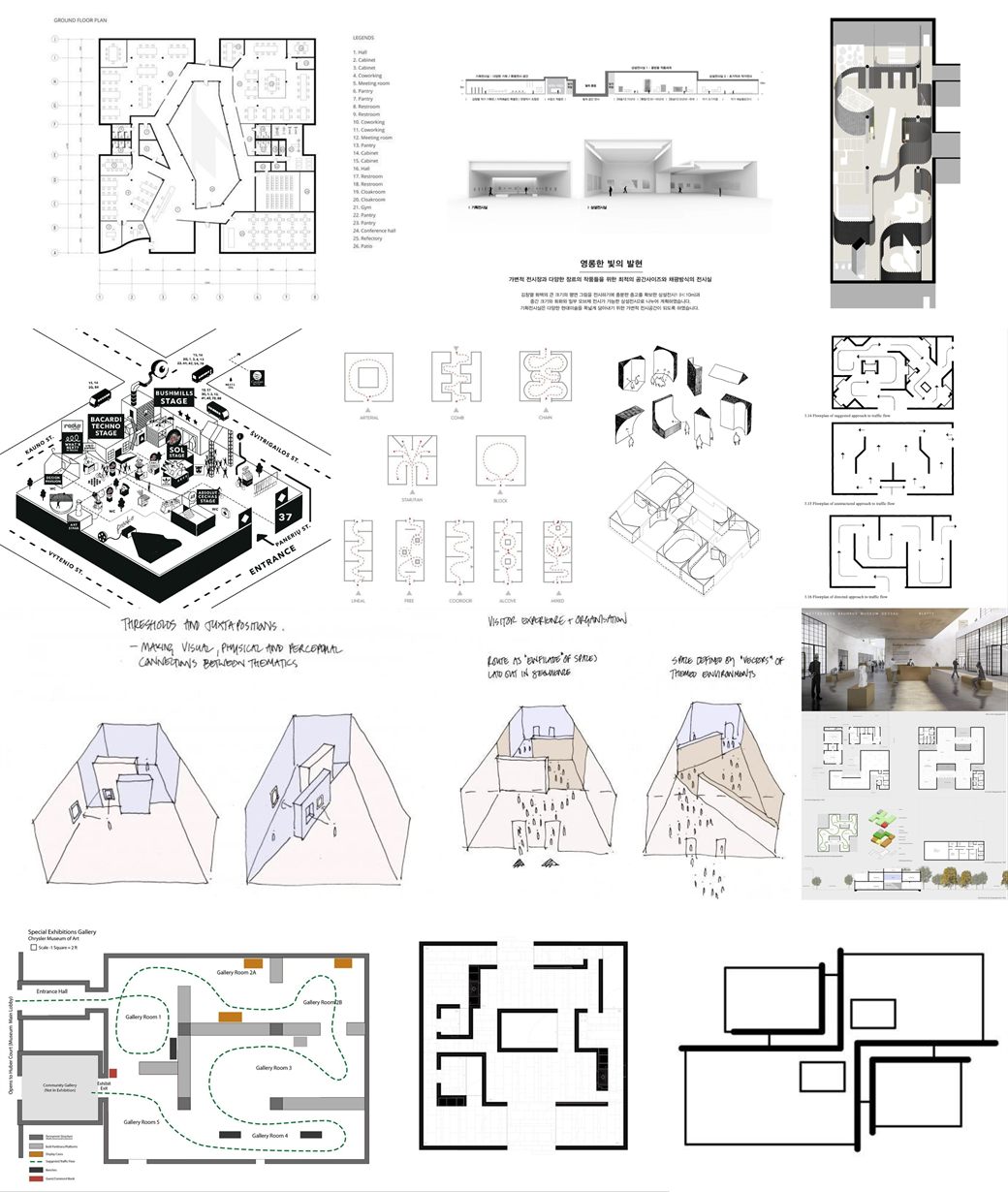
We built the Moodboard with detailed references of isometric worlds and experiential websites, infographic sites, pixel game layouts and top-down action games through different media online, as well as, architectural layouts and snapshots of the Indian Museum in Kolkata that was the primary inspiration for the geometry, space and navigation. The common thread was a fixed camera where a whole room is legible at once, so a visitor always knows where the next room is.

A moodboard collage: isometric game worlds, experiential and infographic websites, pixel game layouts and top-down action games, next to floor plans and photographs of the Indian Museum's arches and courtyard.
The moodboard: isometric worlds, experiential and infographic sites, pixel game layouts and top-down action games, alongside layouts and photographs of the Indian Museum.

Three principles carried forward

Three decisions from the moodboard shaped every room that followed.

A fixed isometric camera

Locked at one isometric angle, the camera follows the avatar through the museum, so navigation comes down to moving the character and the controls stay simple on desktop and mobile.

Flat, pre-lit colour over realism

Light and shade are painted into flat colours from the palette below, rather than calculated as the game runs. It costs far less to draw, so the game stays smooth on low-end phones.

2D characters in a 3D world

Illustrated sprites move through a modelled space, staying expressive, easy to customise and clear against the depth of the world.

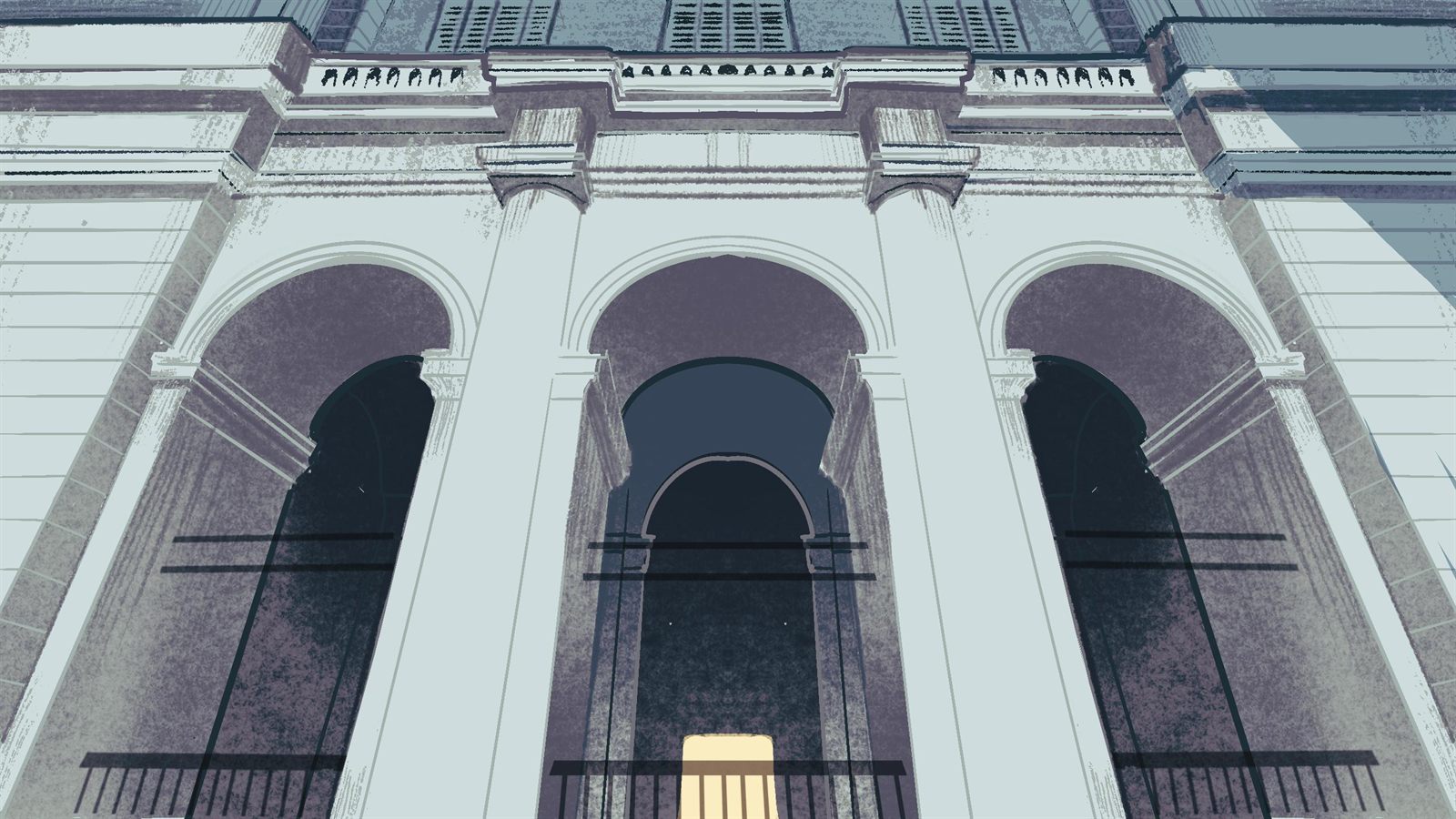
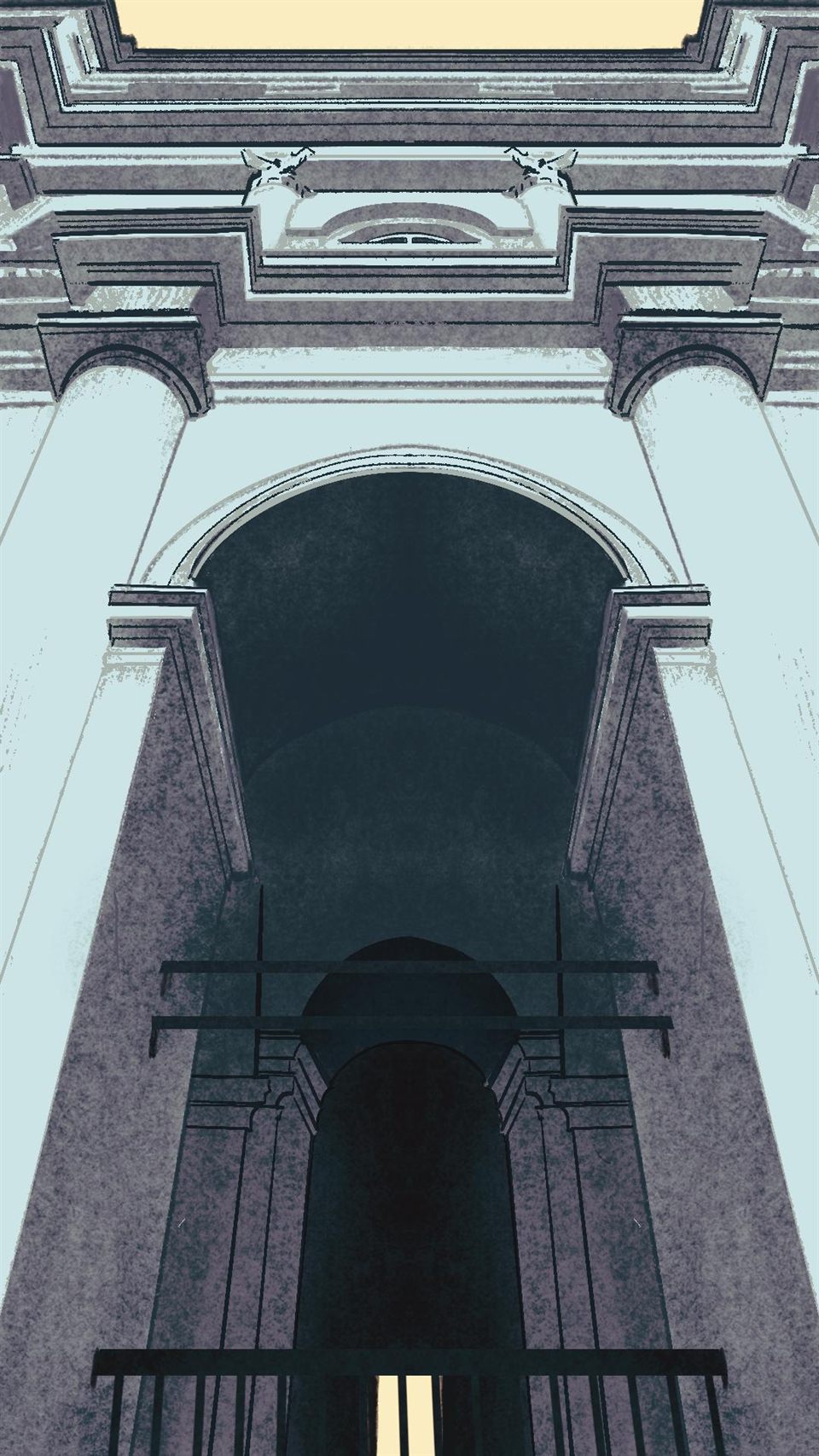
The colour palette and illustrations for the splash screens for desktop and mobile were done by Sunando. Lexend was chosen for body text as a dyslexia friendly clean font for reducing visual crowding and reading fatigue, with Tiro Bangla for Bengali and JetBrains Mono for small accents.

Sunando's desktop splash screen: an illustration looking up at the arched facade of the Indian Museum in muted blue grey, with a warm light in the central doorway.
Sunando's splash screen for desktop.
  • Dark surface#1E3237
  • Mid surface#465A64
  • Secondary#98B4BE
  • Light surface#E6F4F6
  • Warm surface#FEF0BE
  • Primary#E88760
  • Primary dark#B85C3E
The colour palette Sunando set for the game.
Sunando's mobile splash screen: a tall view up one arch of the Indian Museum facade, in the same muted blue grey with a warm lit doorway at the base.
Sunando's splash screen for mobile.
Sunando's splash screens for desktop and mobile, with the colour palette under the desktop screen.

Spatial Planning & World Building

The world was laid out after the Indian Museum, Kolkata: a central lobby with four themed rooms, open in any order.

  • Study

    The Indian Museum's entrance foyer, courtyard and arches became the architectural language for the world.

  • Map

    Gallery floor plans, visitor flow patterns and threshold sketches showed how rooms connect.

  • Model

    The lobby became a liminal space between rooms, with no scripted route.

A board of reference sketches: gallery floor plans, diagrams of linear, looped and branching visitor flow, and sketches of thresholds between rooms.
Floor plans and threshold sketches.
Photographs of the Indian Museum, Kolkata: the entrance foyer, long arcades of white arches, and the central courtyard.
The Indian Museum, Kolkata.

The Blender to Three.js pipeline

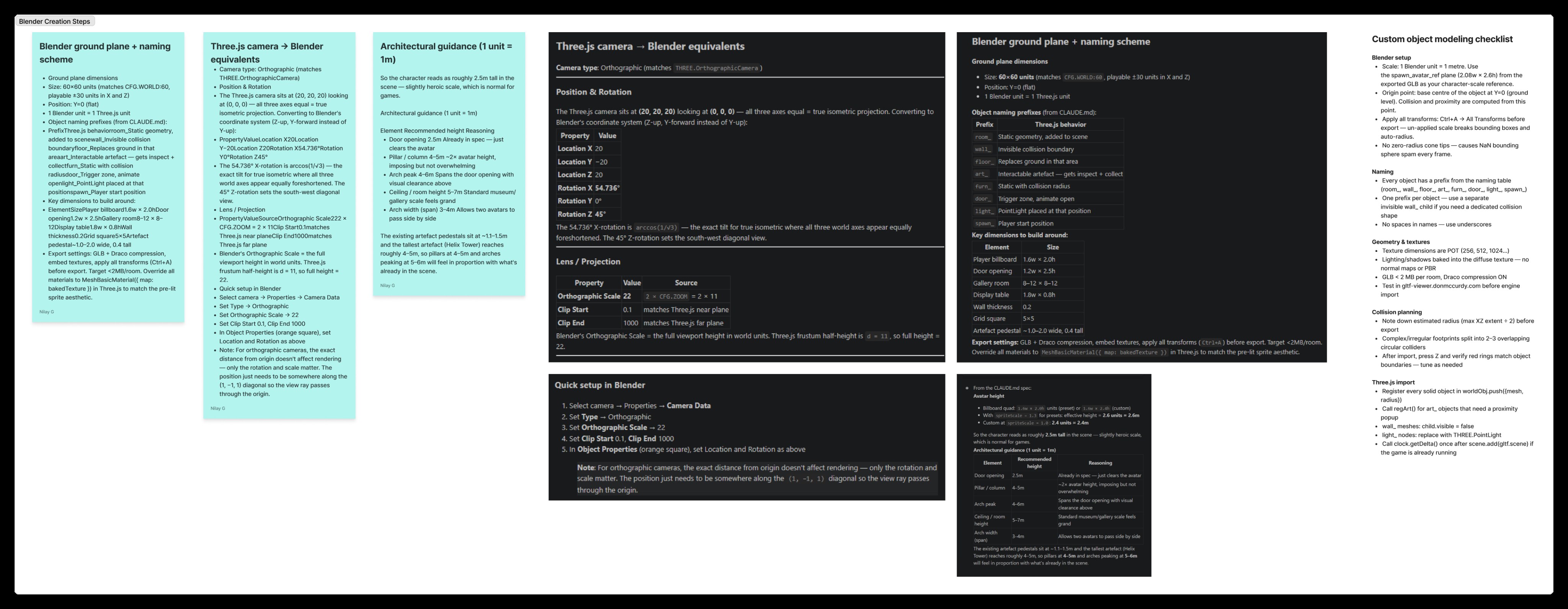
A prototype pipeline, built with Claude to bridge a knowledge gap between Blender and Three.js, uses prefix-tagged object names to turn artefacts, rooms, arches, pathways and collisions into game objects. Three specs made the Blender blueprint reliable:

  • Camera matching: the in-game camera was rebuilt in Blender at the same isometric angle, so layouts match the game view exactly.
  • Scale: 1 unit is 1 metre, and the avatar reads at about 2.5 m, so doors sit at 2.5 m and arches span 3 to 4 m, wide enough for two avatars.
  • Growth: the plan grew from a 60 by 60 unit ground plane to a 150 by 150 unit world over five revisions.
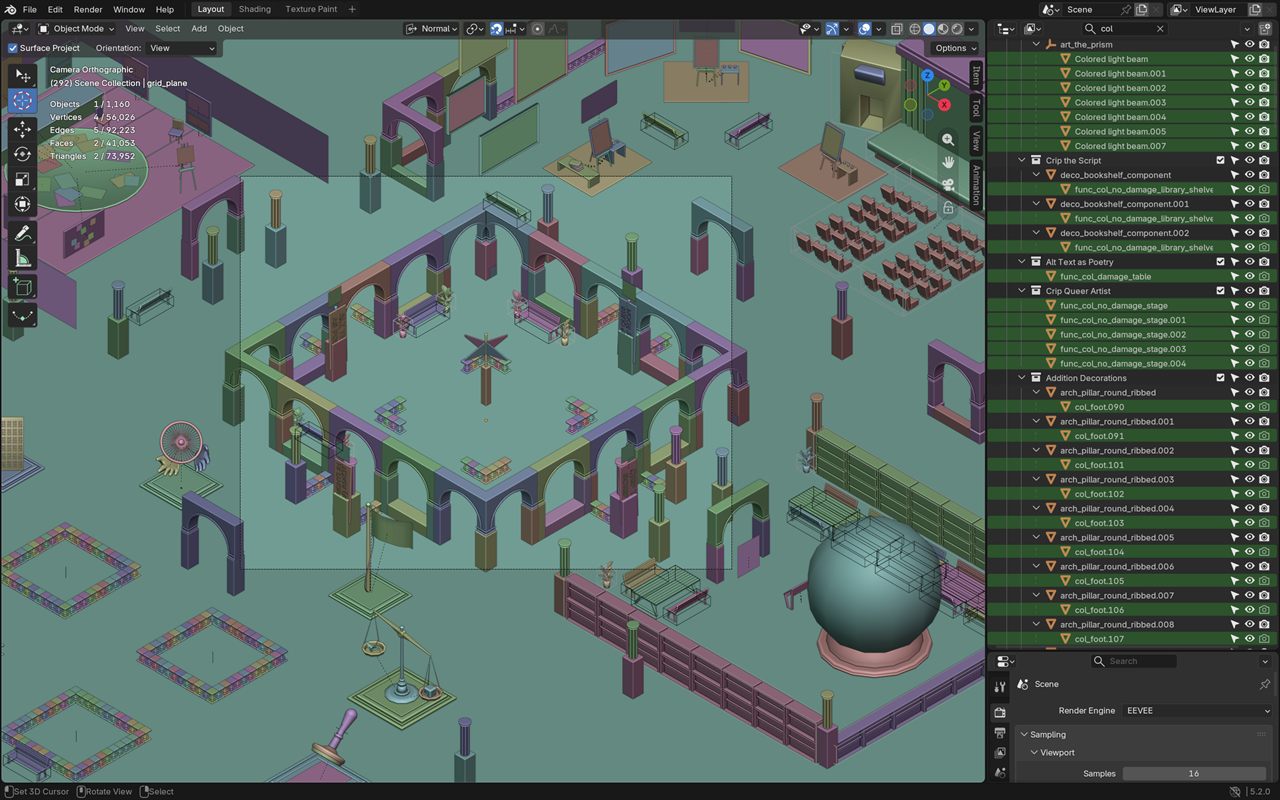
A turntable of the museum world in Blender, moving from wireframe to coloured collision blocks to the finished rooms with their artefacts.
The same world open in Blender, with translucent collision blocks over the walls and trigger boxes around artefacts, and the object list on the right.
Left, the world in Blender, from wireframe to collision blocks to the finished rooms. Right, collision blocks and trigger boxes, which the game reads by name, so new interactive objects need no new code.
A board of setup notes: a measurement chart comparing the avatar with doors, pillars and arches, the camera settings, a table of object naming prefixes, and a checklist for modelling custom objects.
The measurement chart and setup notes made with Claude.

Sprite-Based Avatars

Every visitor walks as a character built to reflect who they are, not who a game assumes them to be, animated frame by frame to give every step, pause and rest the expression of a drawing.

Why Illustrated Sprites

A sprite is a flat character built from parts, which lets one system represent many bodies: every option combines freely, and mobility tools are drawn into the body. Against the smooth, detailed world, its stepped pixel motion keeps each character reading as a drawn, playful figure.

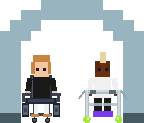
Characters from the creator cross the page, each moving its own way, with stepped frames against smooth travel.

No character is stored ahead of time, so all 295,245 combinations stay open. The browser paints each sheet once a visitor chooses, layering legs, body, head, hair and arms, with the mobility tool last, into one flat image light enough for any phone.

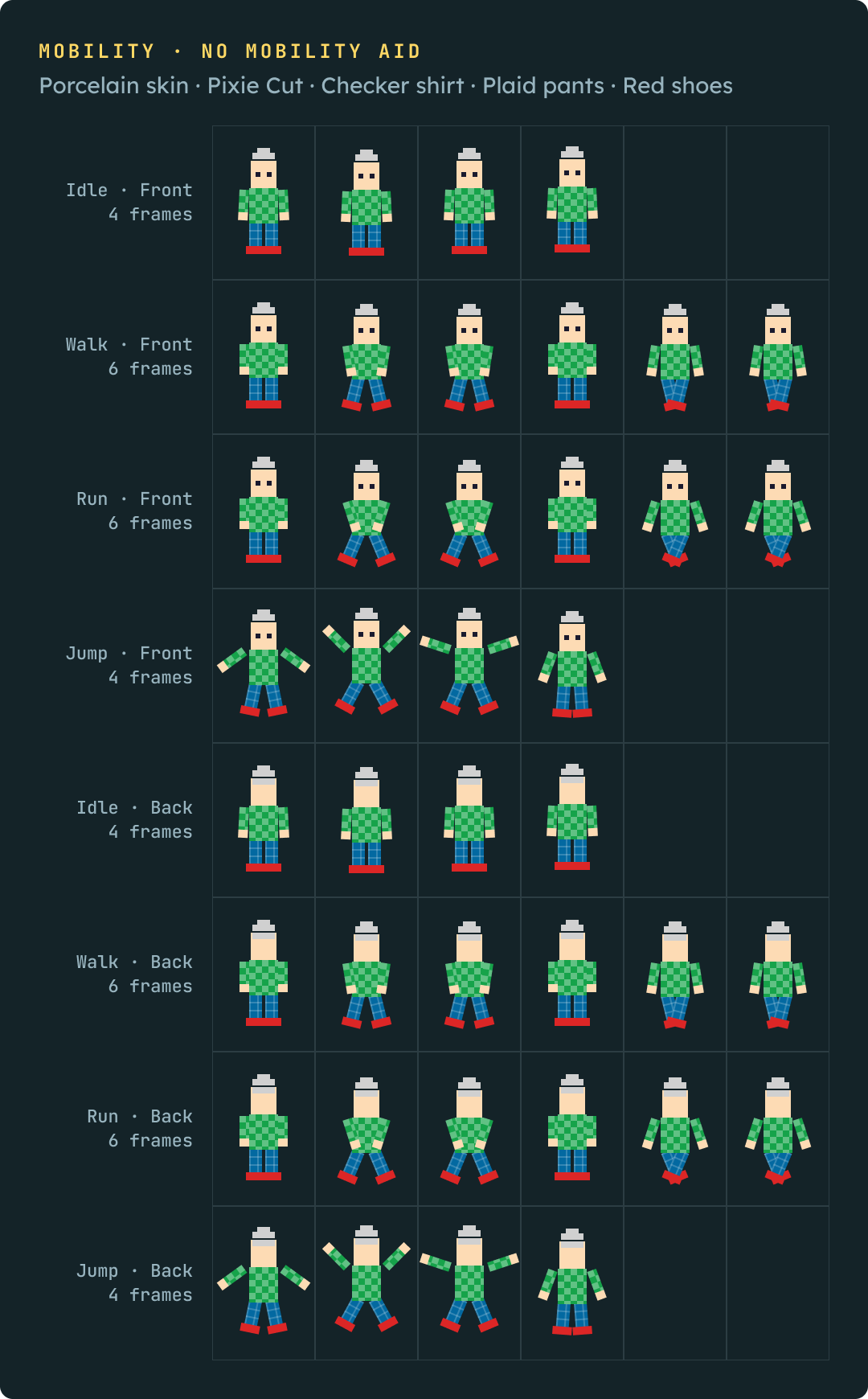
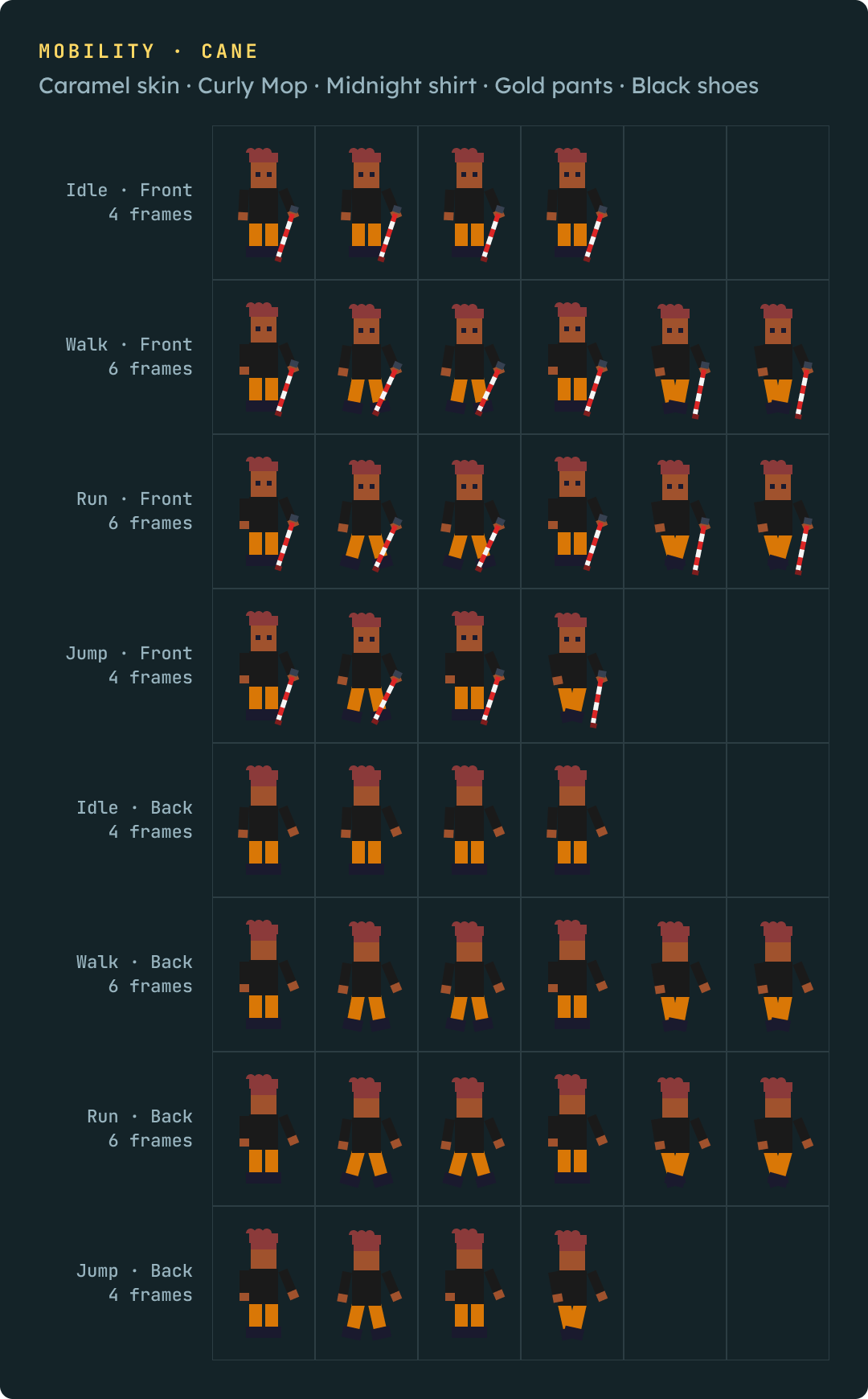
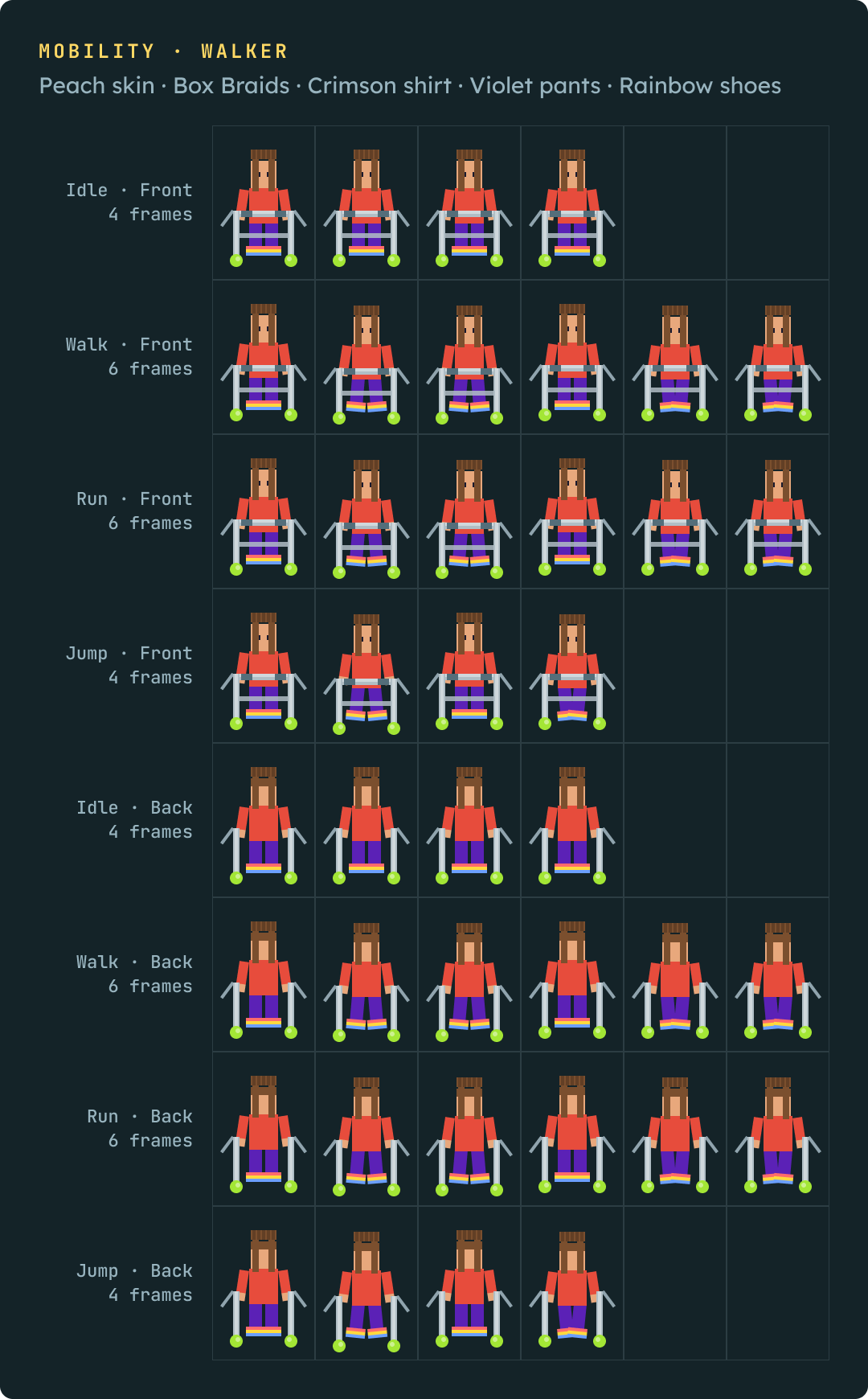
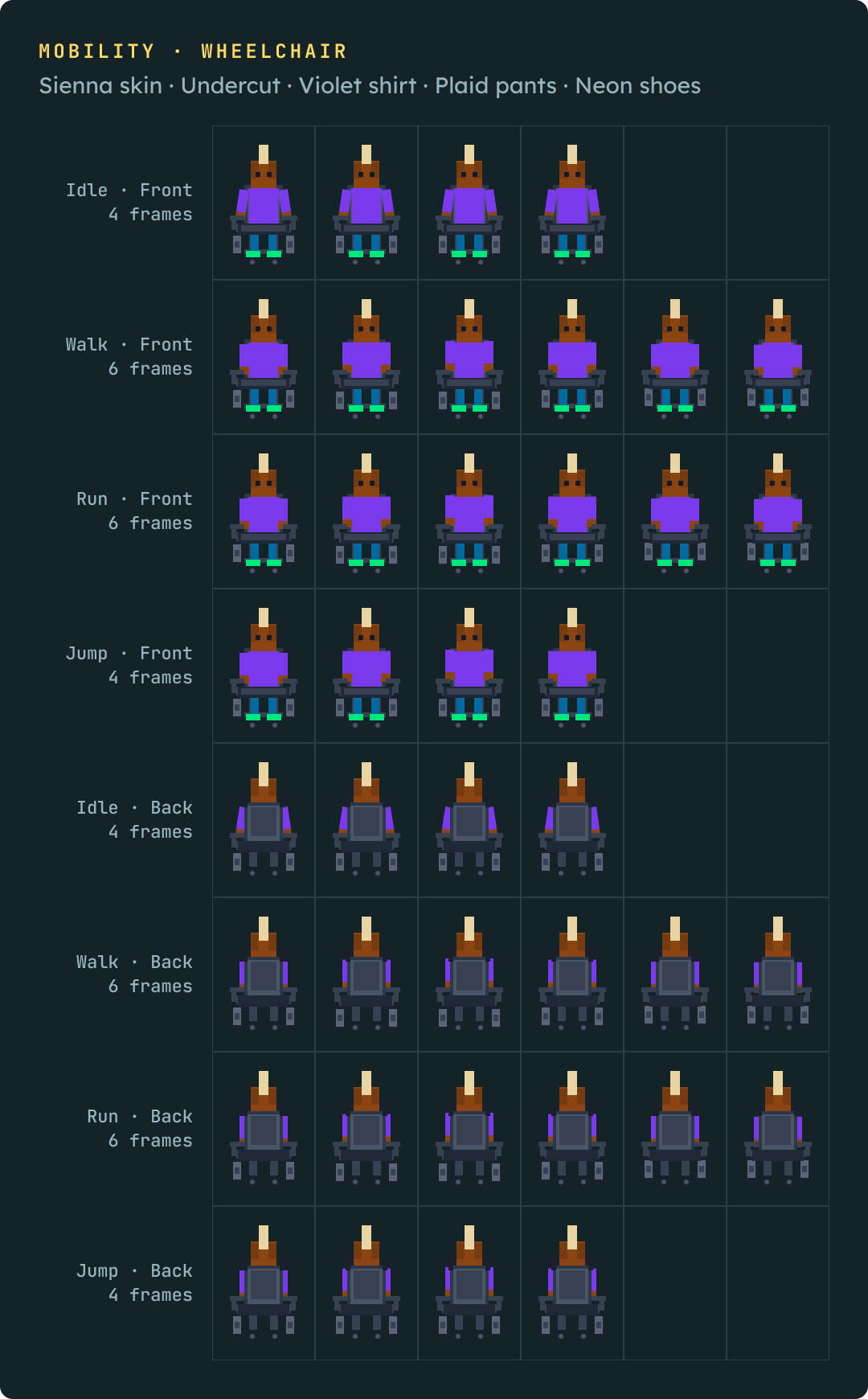
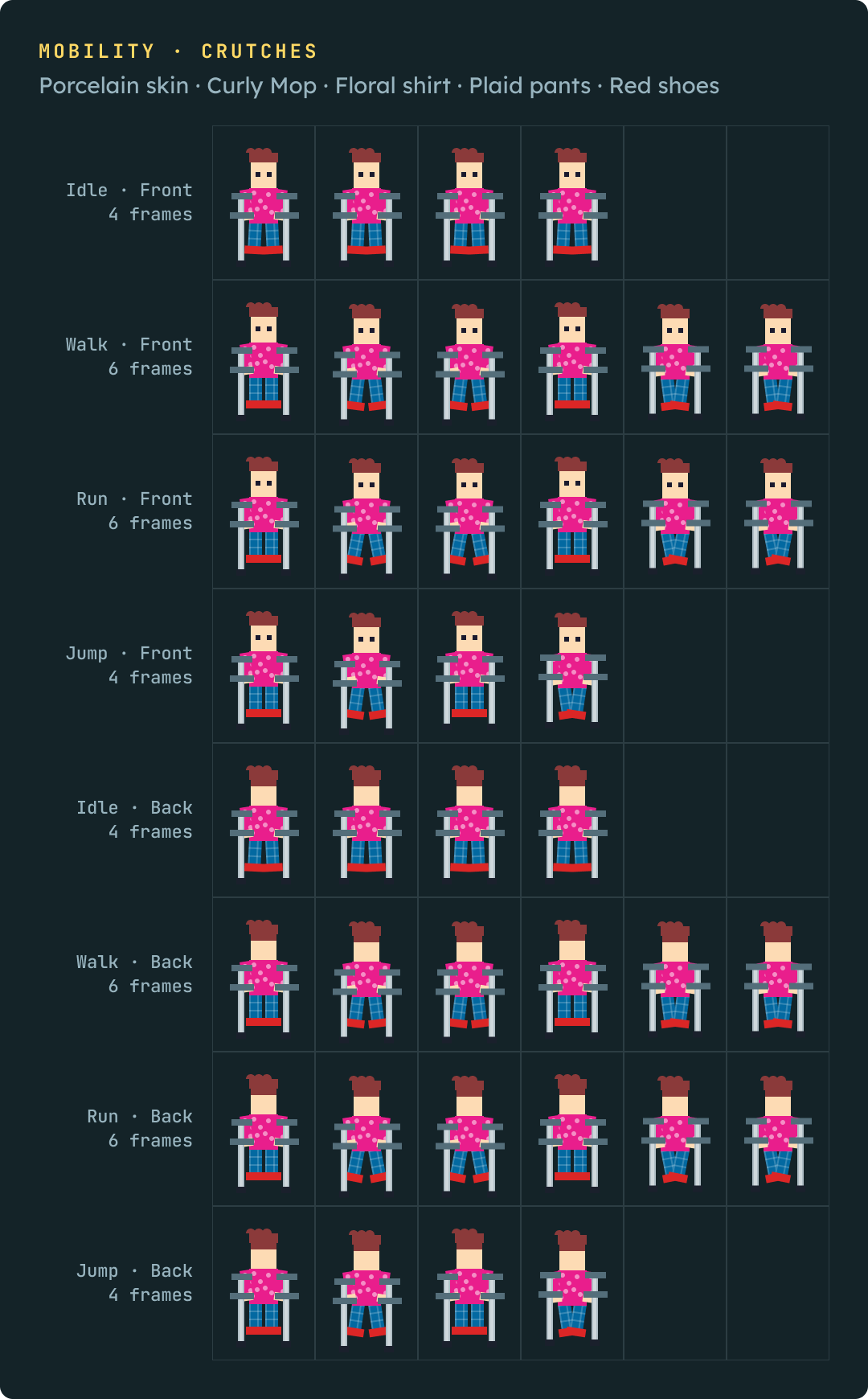
Sprite sheet for a character with no mobility aid, in a checker shirt and plaid pants: idle, walk, run and jump frames, facing the camera and facing away. Sprite sheet for a character with a red and white cane, in a black shirt and gold pants: idle, walk, run and jump frames, facing the camera and facing away. Sprite sheet for a character with a walker, in a crimson shirt and violet pants: idle, walk, run and jump frames, facing the camera and facing away. Sprite sheet for a character in a wheelchair, in a violet shirt: idle, walk, run and jump frames, facing the camera and facing away. Sprite sheet for a character with crutches, in a floral shirt and plaid pants: idle, walk, run and jump frames, facing the camera and facing away.
Five sprite sheets drawn from the creator, one for each mobility option: none, cane, walker, wheelchair and crutches.

Anatomy of a sprite sheet

  • Grid: 6 frames across and 8 rows down, four rows facing the camera and four facing away.
  • States: idle, walk, run and jump, played at 4, 8, 12 and 6 frames per second.
  • Mirroring: only right-facing frames are drawn; left-facing movement flips them, halving the art needed.

Museum Fatigue

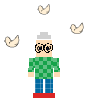
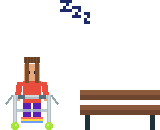
When the spoons run out, the avatar's eyes turn to spirals and birds circle its head for a ten second rest, then play resumes with the same character and language.

Museum Fatigue as it plays in the game.

Inside the Four Rooms

Each room took a line of DAG's content brief and gave it a spatial form the visitor can walk up to.

Floorplan of the Museum: Explore the Rooms

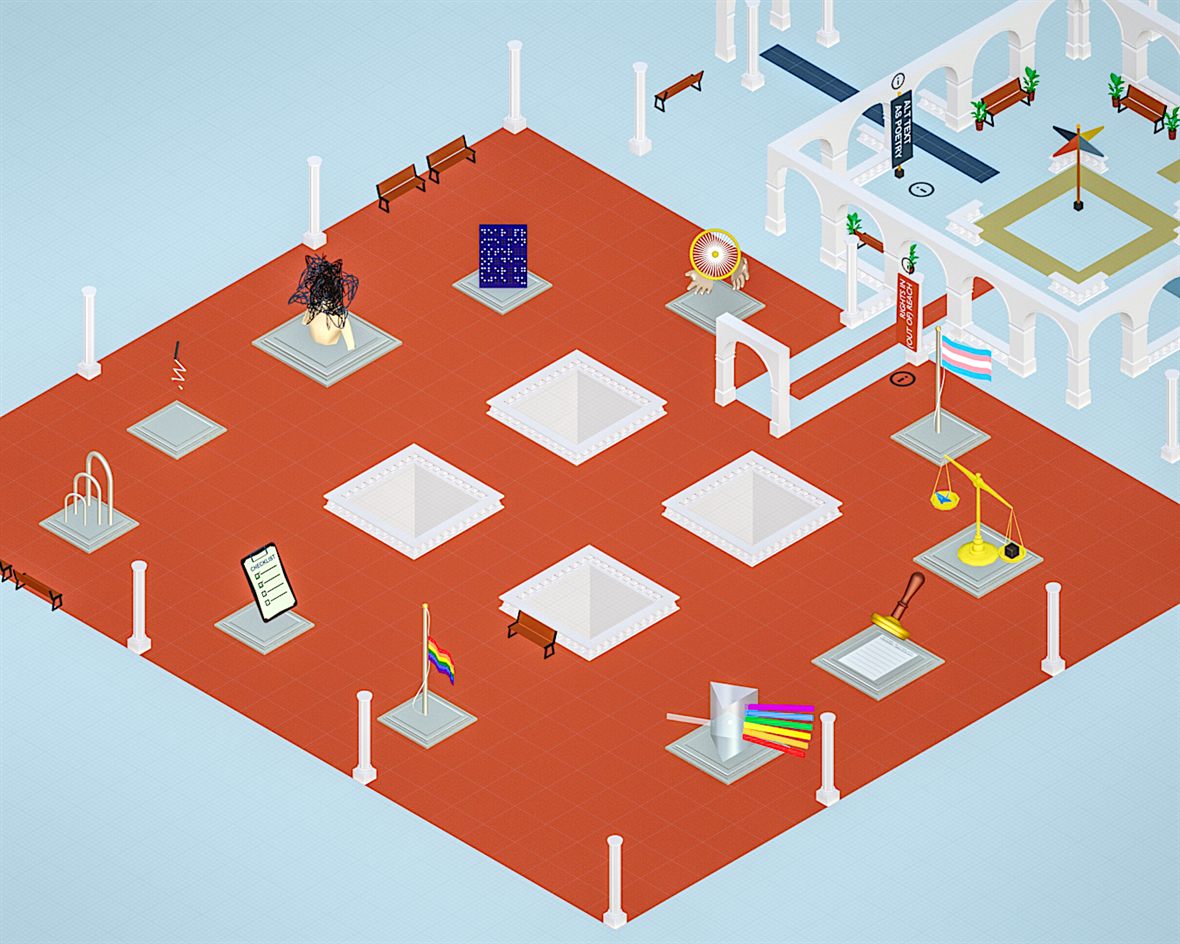
  1. Rights in (out of) Reach, below the lobby.
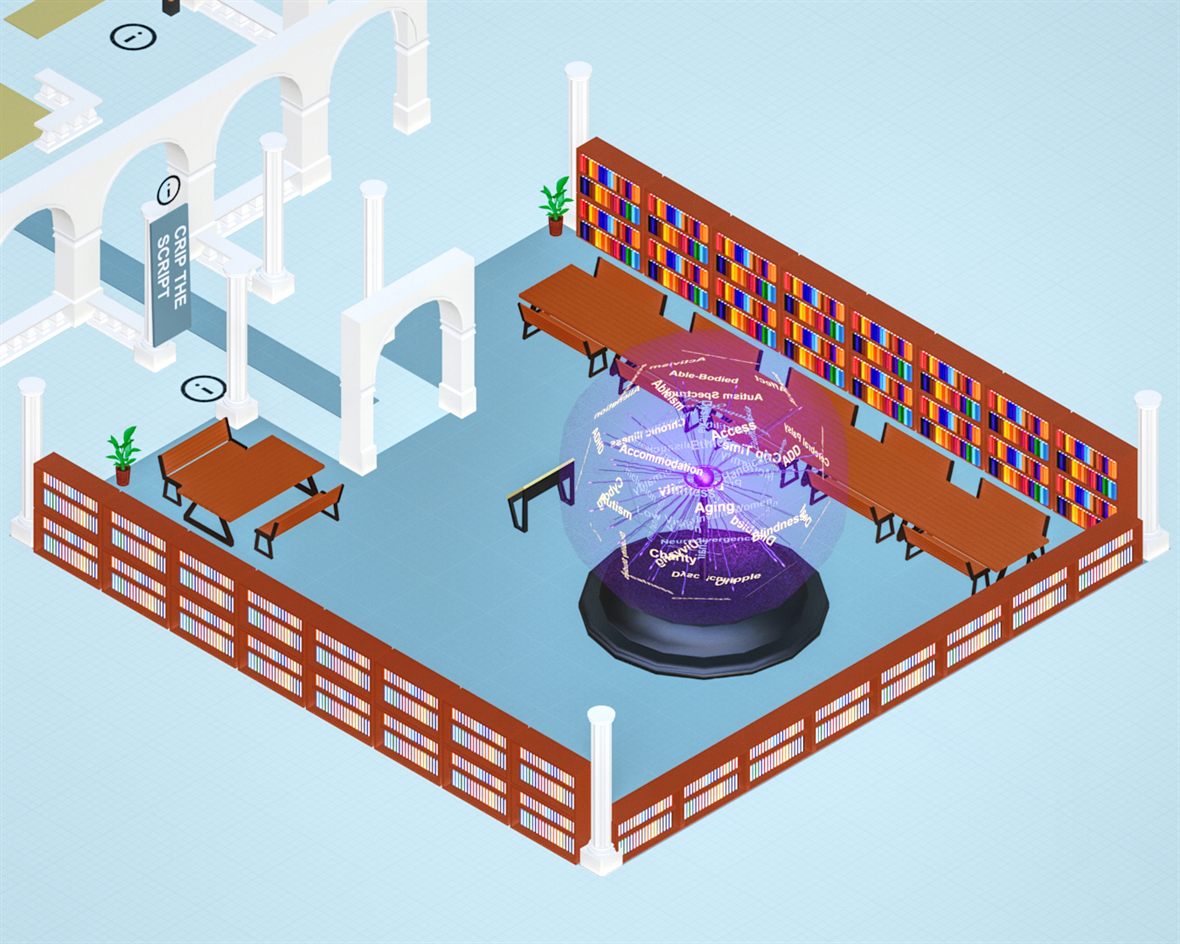
  2. Crip the Script, to the right of the lobby.
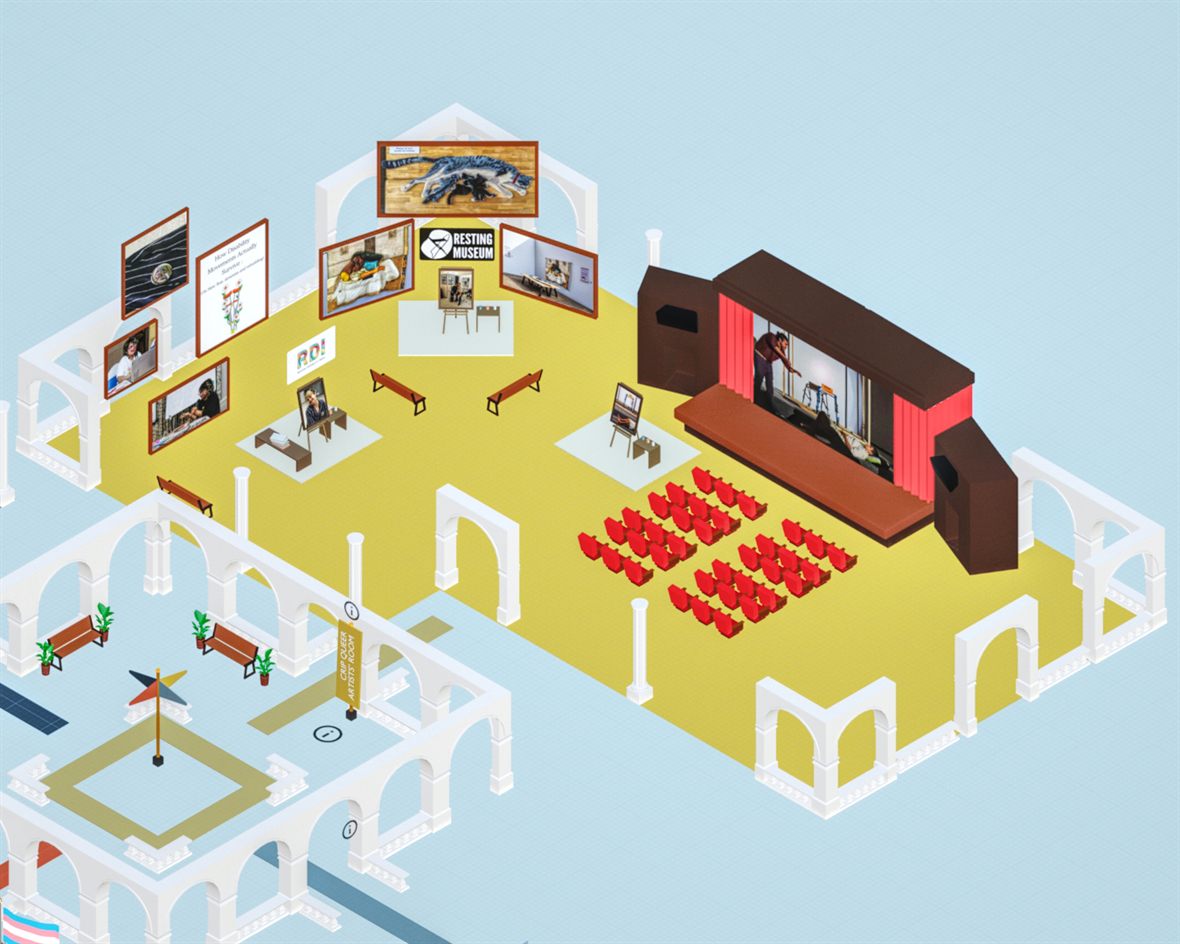
  3. Crip Queer Artists' Room, above the lobby.
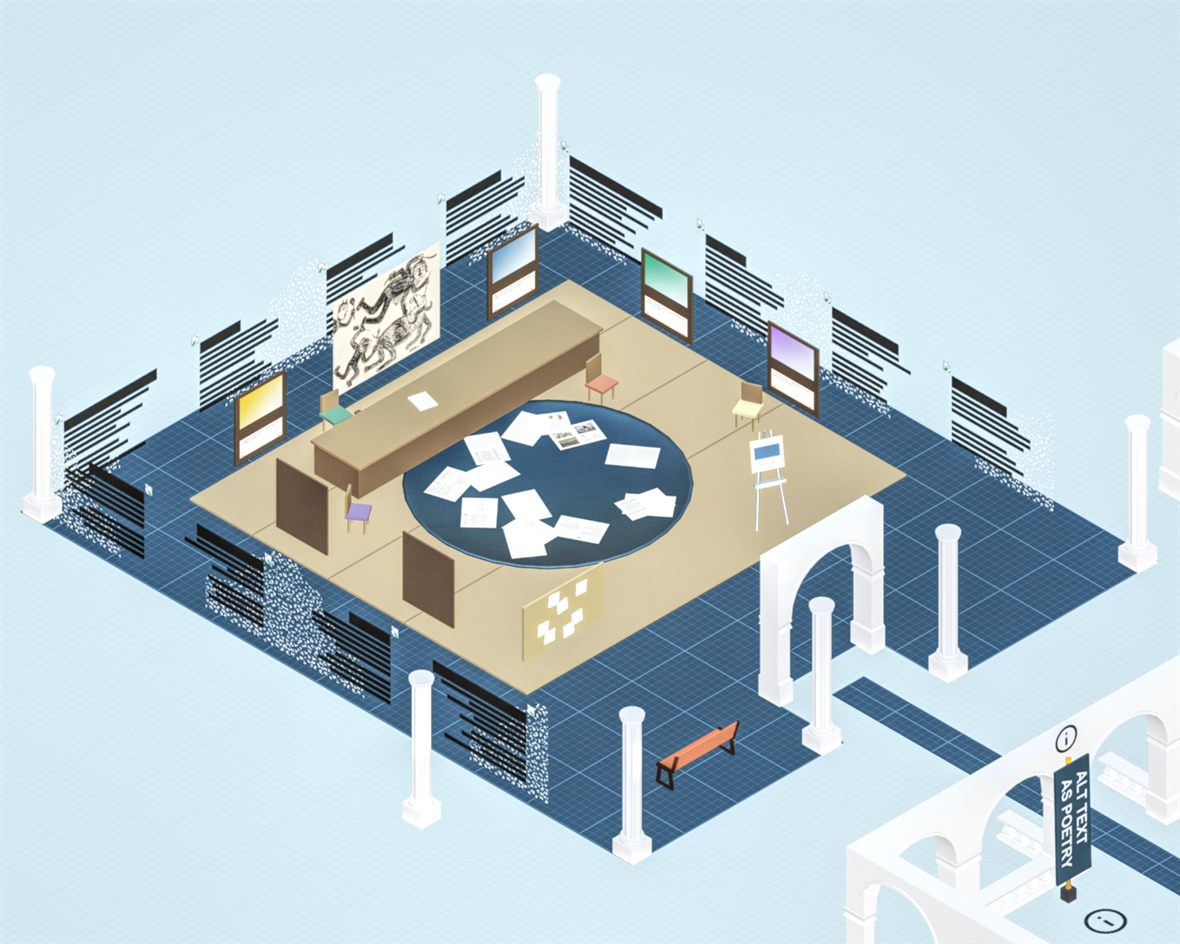
  4. Alt Text as Poetry, to the left of the lobby.
Rights in (out of) Reach: an orange floored room where sculptural artefacts stand on white plinths, each one a policy document given physical form.

Rights in (out of) Reach

Eleven sculptures on plinths, shaped with DAG's input, each give form to a policy on disability or queer rights. Walking up to one opens the document, in English or Bengali. The room's name points to the gap between rights on paper and in practice.

Crip the Script: a pale blue room with a large globe of floating word tiles at its centre and a glossary kiosk to one side.

Crip the Script

A glossary of 68 disability studies terms, curated by Lakshi at DAG. A globe of word tiles turns at the centre and a kiosk opens the glossary in English and Bengali, reclaiming the words used about disabled people on their own terms.

Crip Queer Artists' Room: a yellow floored room with three easels, framed artworks on the walls and a small stage for performance.

Crip Queer Artists' Room

Three artists from the Weekend event, each with an easel opening their profile and work on the walls. A stage replays a performance from the weekend for a limited time afterwards.

Alt Text as Poetry: a dark blue classroom with desks, a board and workbook sheets scattered across the floor.

Alt Text as Poetry

A playful classroom where Alt Text, usually hidden from view, becomes poetry describing images. Workbook sheets in English and Bengali lie on the floor to preview and download, taking the practice home.

Project Development Progression

The game was built through iterative prototyping with Claude Code as the development collaborator for writing, testing and debugging code. The creative process stayed fully human: concept direction, world and spatial design, character design and every interaction decision. The stack was kept deliberately simple: plain HTML, CSS and JavaScript on Three.js, hosted on Cloudflare Pages.

  1. 1. Building the worldscape iteratively

    Camera, movement, avatars and the spoon system were prototyped in code to find the scale and feel of the world.

  2. 2. Testing functions and modules for production

    Overlays, mobile controls and the bilingual system were built and tested one module at a time.

  3. 3. Building the environments from the learnings

    What the prototypes showed about scale, camera and collision shaped the Blender world across five revisions.

  4. 4. Building the final version

    The rooms, artefacts and content came together for launch.

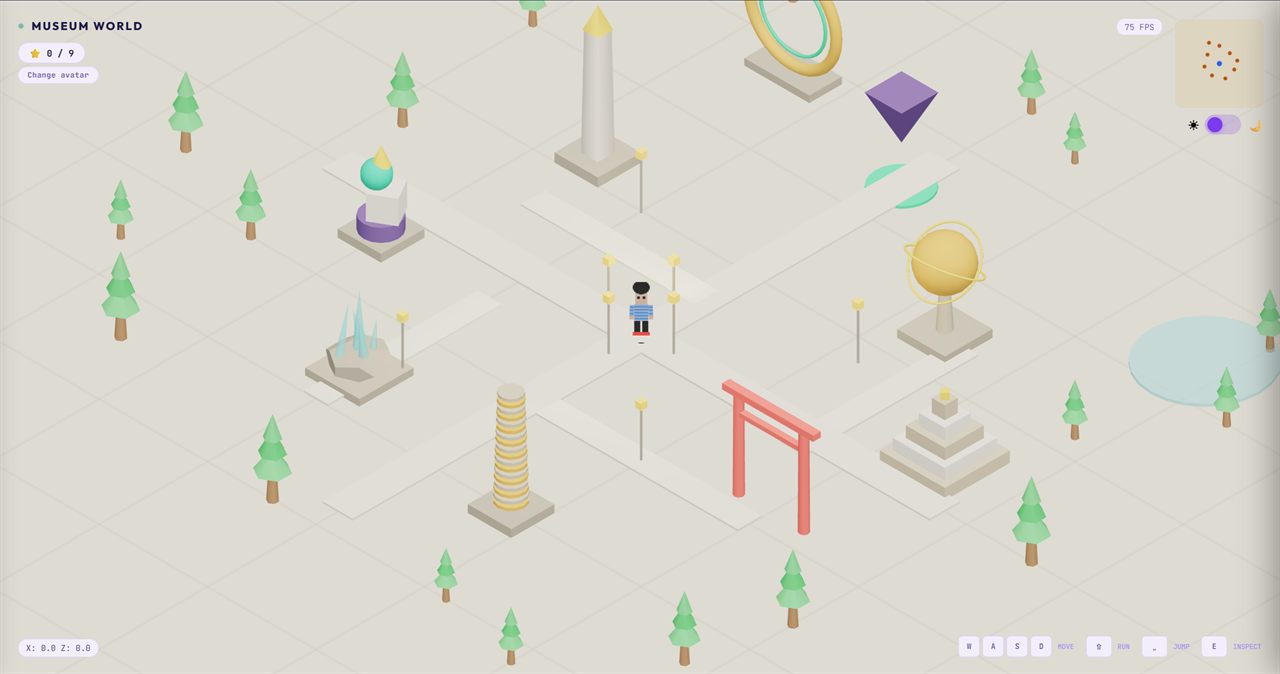
An early prototype of the world: a flat beige isometric plain with low poly trees, a few placeholder monuments and the pixel avatar standing at the centre.
The current world in debug view, with coloured collision rings drawn around walls, plinths and doorways.
Left, an early prototype of the world. Right, the current world in debug view, with the collision rings used to tune it.

Accessibility as Architecture

Access was set jointly with DAG, with WCAG 2.2 AA as the baseline expected of any UX project. Beyond that baseline, it shaped the game's core systems, from who the avatar can be to how energy is spent, rather than living only in a settings panel.

Bodies, not defaults

Wheelchair, crutches, walker and cane are drawn into the avatar and move with it. Choosing one switches off jump and sprint, so the able-bodied moveset is one choice among five rather than the default. No gender is ever asked for.

  • NoneMove, run and jump
  • CaneMove
  • WalkerMove
  • WheelchairMove
  • CrutchesMove
The five mobility options in the avatar creator. Choosing a tool switches off run and jump.

Energy and rest

Moving costs spoons, so the effort of getting around is felt rather than explained. Rest Mode pauses the drain for anyone who wants to explore without a clock, and running out leads to a short rest, never a game over.

Bilingual throughout

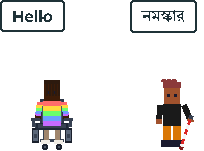
Every interface string has a Bengali counterpart, set in Tiro Bangla, and PDFs switch language in place. The Bengali glossary tags are kept as the translator wrote them.

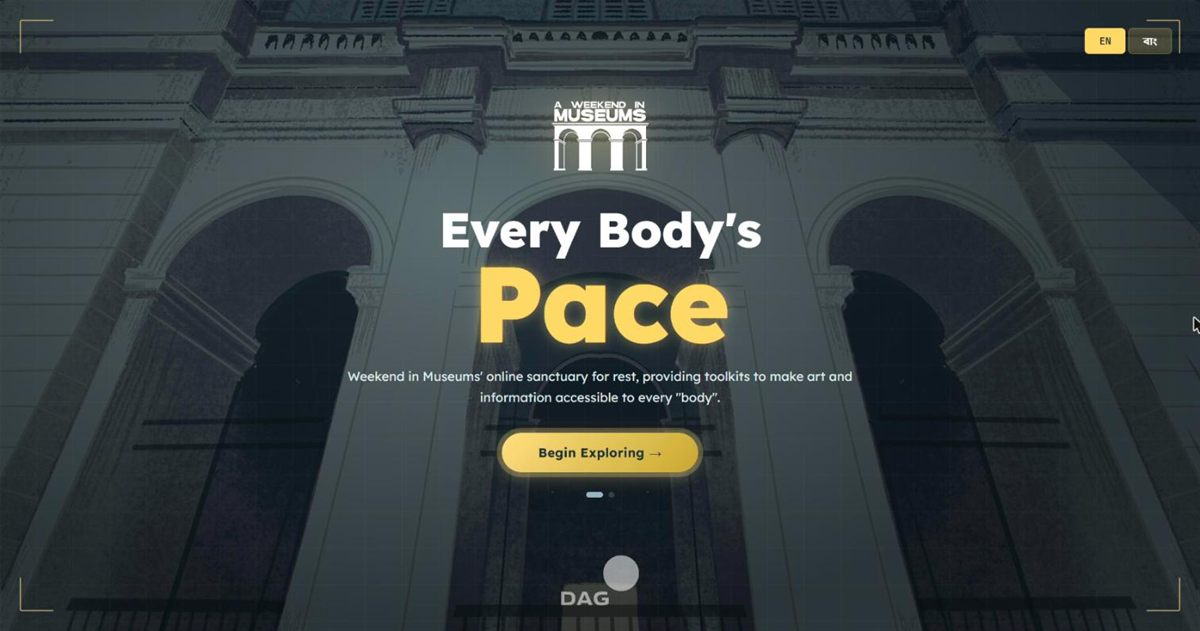
The landing screen in English: Every Body's Pace in large type over the museum facade, a line about the Weekend in Museums online sanctuary for rest, and a Begin Exploring button.
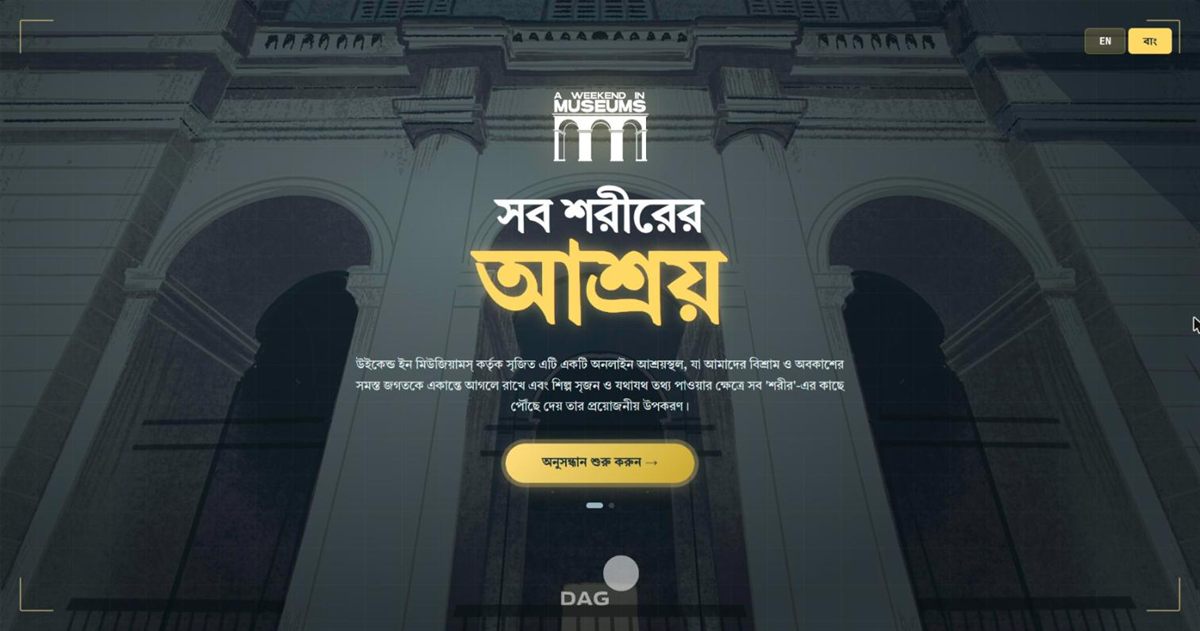
The same landing screen in Bengali, with the title, line of text and button all set in Bengali script.
The landing screen in English and Bengali, switched with the toggle at the top right.

Reading and contrast

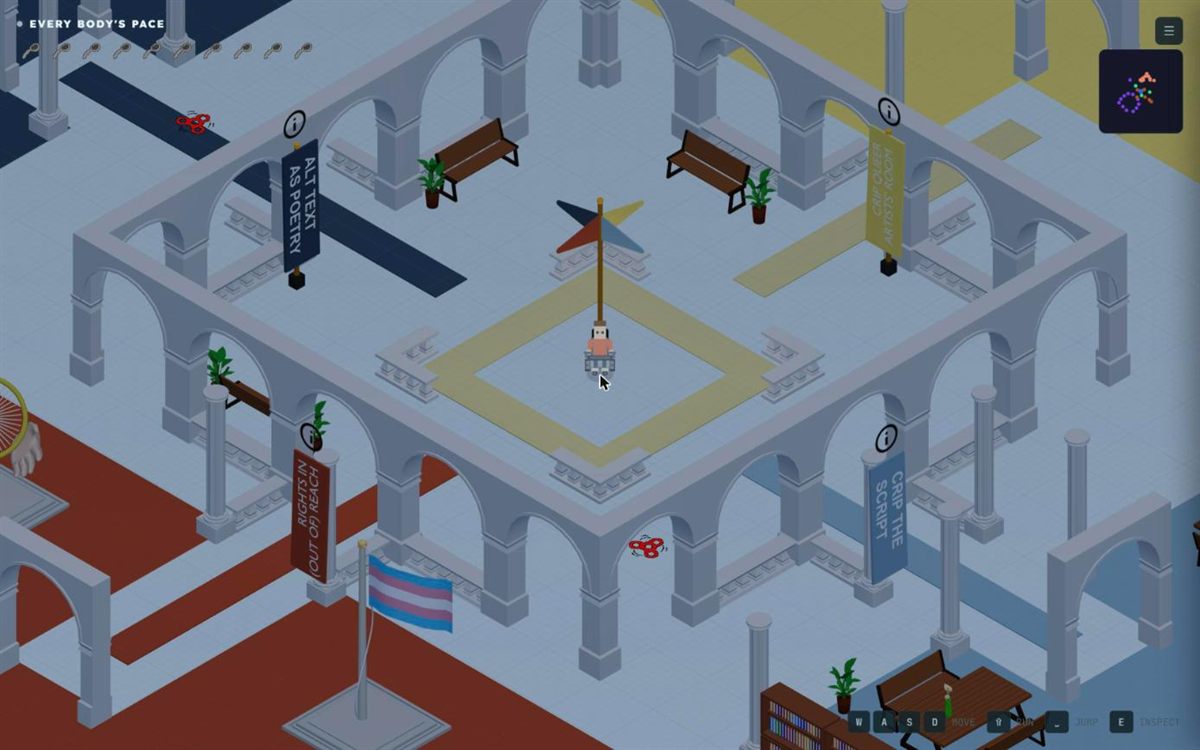
Lexend sets the body text to reduce visual crowding and reading fatigue. Night Mode switches the world, HUD and menus to a darker, high contrast theme, and Zoom brings the world closer.

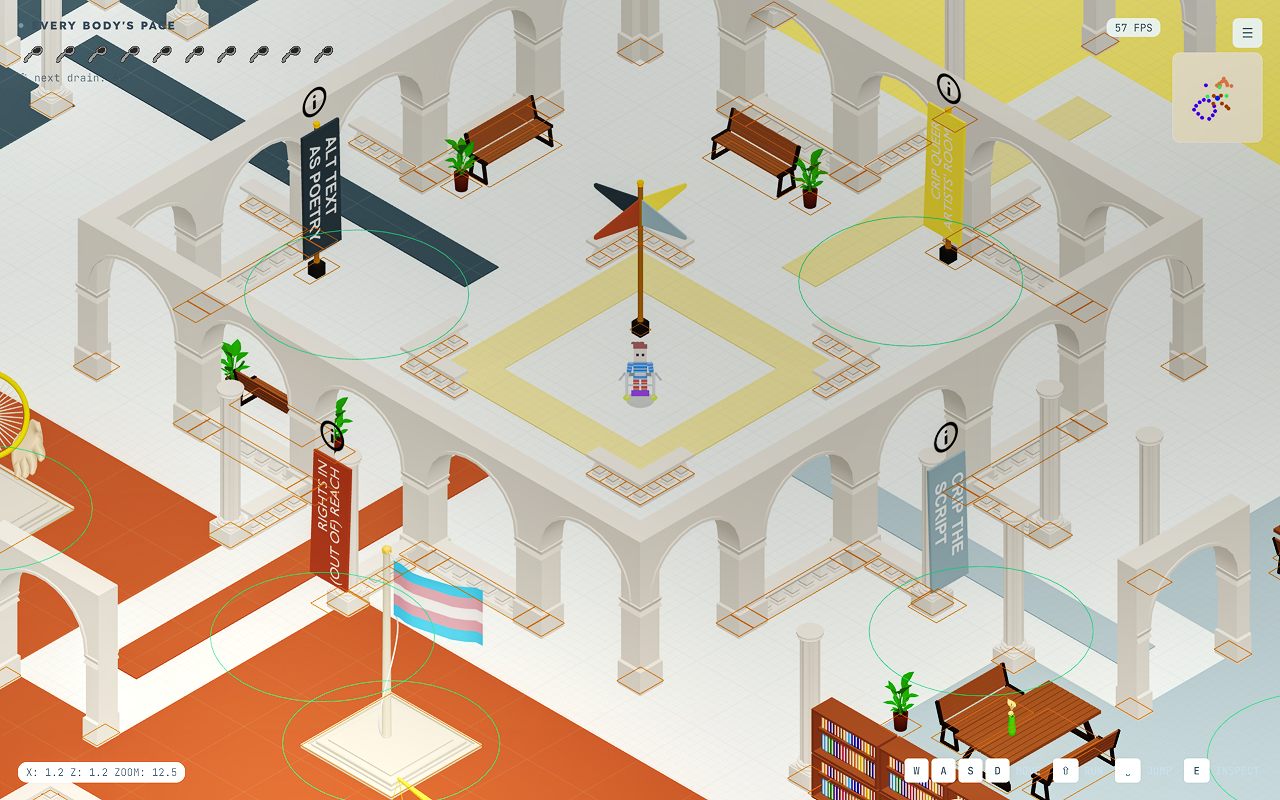
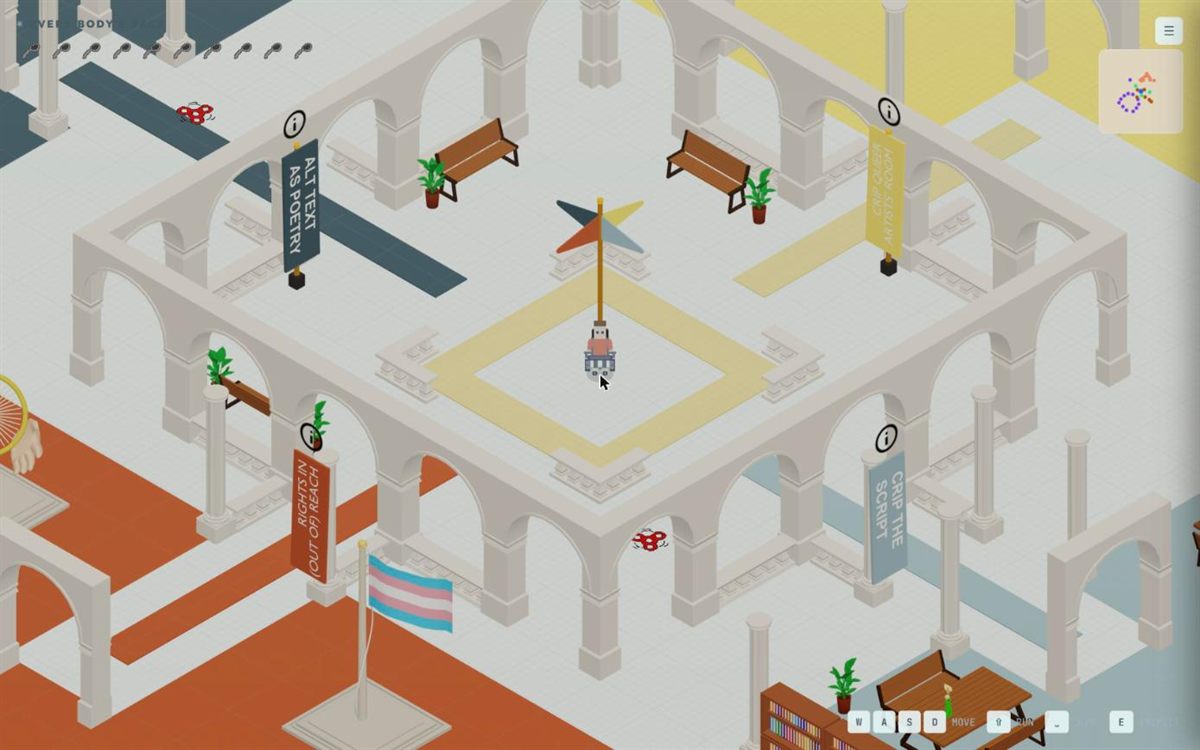
The atrium in the default palette: pale stone arches, a warm yellow courtyard path and coloured room banners.
The same atrium in Night Mode: the arches and floor in cool grey blue, with darker, higher contrast banners and paths.
The atrium in the default palette and in Night Mode.

Motion and sound

Reduced Motion stills idle animations, shortens the fatigue sequence and follows the device's own setting. Mute Audio silences every game sound.

Many ways to move

WASD, the arrow keys or a click on a computer; a joystick with A and B buttons on a phone. The camera stays fixed, so no one has to steer the view while moving.

On a computer

  1. Move: WASD or the arrow keys, or click where you want to go.
  2. Run: Hold Shift.
  3. Jump: Press Space.
  4. Inspect: Press E next to an artefact.

On a phone

  1. Move: Drag the virtual joystick.
  2. Inspect: Tap Inspect next to an artefact.
The How to Move cards from the game's briefing screen, with each control numbered.

Screen readers

ARIA labels on interactive elements, modals marked as dialogs, and policy PDFs opening in new tabs so the browser reader takes over.

The avatar creator with the accessibility tree overlaid on the mobility row: a Mobility group with buttons None, Wheelchair, Crutches, Walker and Cane.
The settings menu over the atrium, with labels showing what a screen reader announces for each control, such as the EN and Bengali language buttons and the zoom buttons.
What a screen reader announces for the mobility options and the settings menu, read from the browser's accessibility tree.

Light on any phone

The game runs in a mobile browser with no install. Flat, pre-lit colour and single-image sprites keep it smooth on low-end phones, and safe-area insets keep the controls clear of notches.

No lost sessions

The back button closes overlays first, and asks before leaving the world.

When there is nothing left to close, the back button asks before leaving the museum.
Next roomReflective Note 

Reflective Note

Every Body’s Pace was the ideal project to blend my knowledge and experience, from 3D design to web development to gamified UX, into one cohesive playthrough, built around an emotional journey about representation.

We worked with the DAG team’s brief and inputs to build with accessibility at the core from day one, which presented a unique challenge: balancing design and development so the game would run on any phone or computer. Every decision needed to tell a very human story about the struggles faced by disabled and queer people, and that story shaped the art style and game mechanics we chose.

There were many challenges in the build-up to launch, especially with the volume of content fitted within a virtual space where navigation ran in all directions, unscripted. It required many iterations and tests with different user groups to find gaps and balance the experience so it was intuitive and engaging, all within six weeks from start to finish. Support for a Bengali language toggle came as a request during the development phase, and we worked with the DAG team and translators to ensure this feature was fully operational as we approached the deadline.

We launched within the planned window, as part of DAG Kolkata’s A Weekend in Museums 2026. Access and ease of use came first, but the ideas kept coming: pets that follow you, NPCs to talk to, new power-ups and mechanics. It was a first-of-its-kind project for me, and those ideas are where I want to start the next one.


Play Every Body's Pace

The game is live at everybodyspace.in, on any phone or computer, in English and Bengali.
Open the game (opens in a new tab)

Client project for DAG, Kolkata and Lore Studios, Weekend in Museums 2026. Concept and content by DAG, illustrations by Sunando, game design and build by Nilay Gomkale.